How to Make a Custom Balloon Burst Animation Widget in Flutter
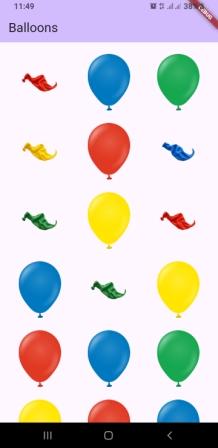
In this article, we learn an animation concept for a balloon burst animation. This may look like a simple animation, but the concept behind it is at an advanced level. By using this, you can create your own animations for celebrations, birthdays, and order-completed pages in shopping apps, etc.
The main purpose of this article is to provide the source code for this balloon burst animation so that you can use it in your own application.
Dart Files for the Balloon Burst Animation Widget
The source code includes the following files:
- balloon.dart
- balloon_item.dart
- particle.dart
- particle_controller.dart
- particle_painter.dart
- balloon_burst_widget.dart
How to Use the Balloon Burst Animation Widget in Your App
Copy all the files mentioned above from the source code and paste them into your own project. Then use the widget class “BalloonBurstWidget” from the balloon_burst_widget.dart file.
After that, pass a list of your own images to this widget.
For testing purposes, you can also copy all the images from the source code assets folder.
Output
Want more ready-to-use source code for your projects? Explore our Source Codes page, where you’ll find examples from various programming languages and frameworks that can help you bring your ideas to life.